Atlassing
Atlassing is systematic bird surveying tied to a geographic grid. Bïndo supports SABAP2 (the Southern African Bird Atlas Project 2), which maps bird distribution across Southern Africa.
Video walkthrough
Before you start
You need a SABAP2 Observer ID, added in Settings → Bird Atlas. Without it, atlassing is locked. If you don't have one yet, register at sabap2.birdmap.africa.
What is a pentad?
The grid unit for SABAP2 is the pentad, a 5×5 minute block of latitude and longitude. Each atlas card you submit belongs to one pentad.
Atlas list vs personal list
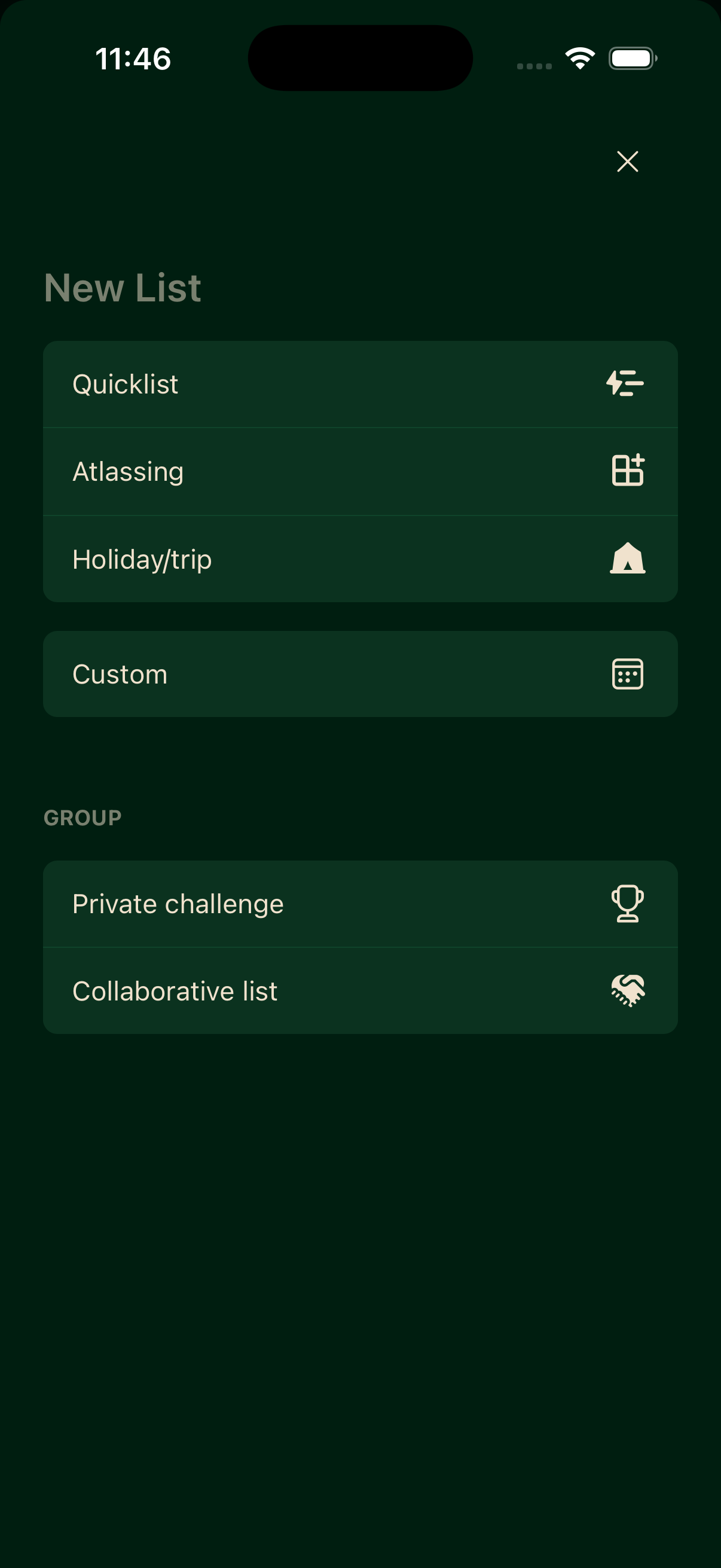
A personal list is your own informal trip record. An atlas list is a formal pentad submission. Both are started from New List. Choose Atlassing to start an atlas card.
Single or multiple pentads
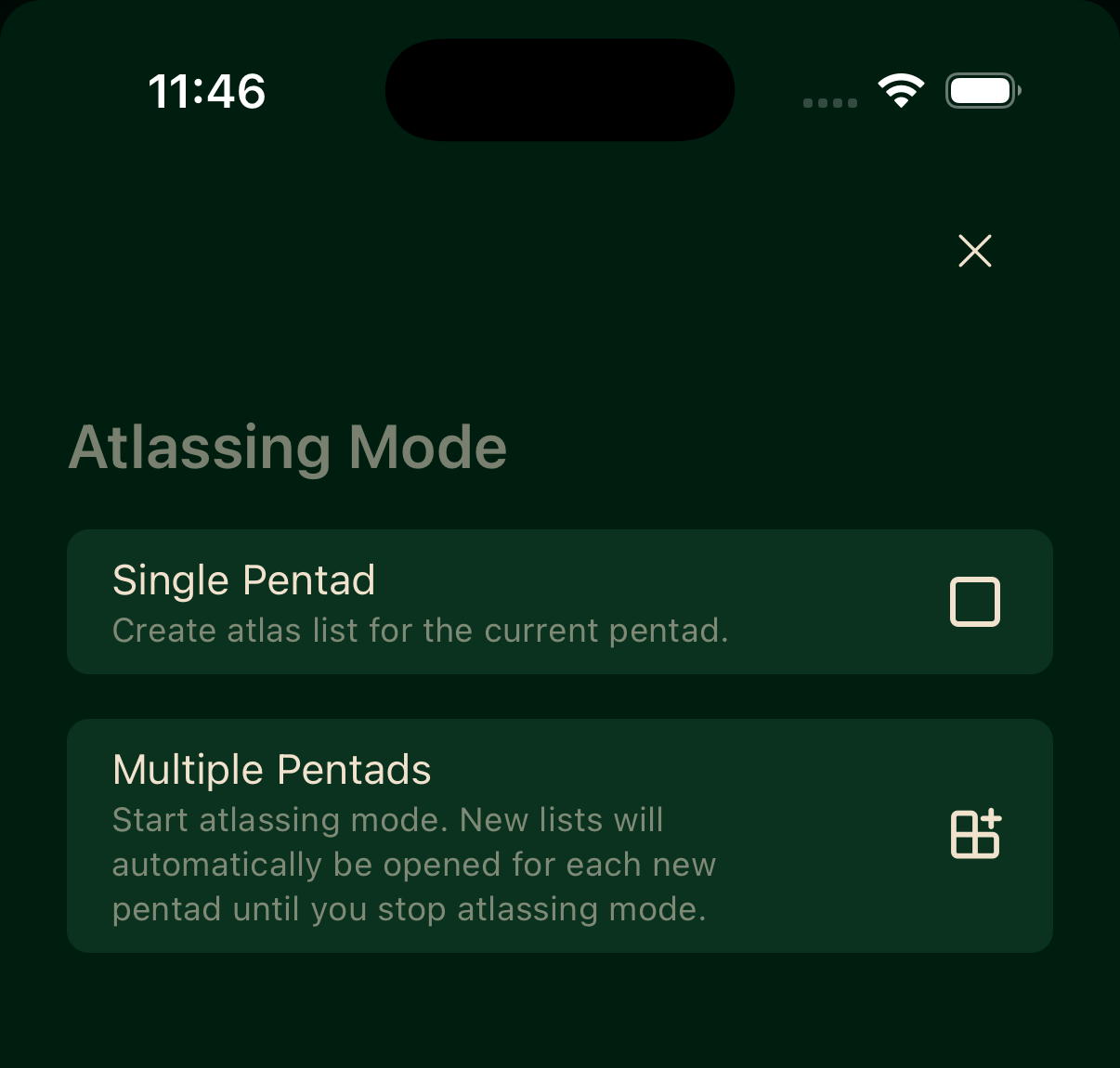
After choosing Atlassing, pick how the card tracks pentads.
Single Pentad
Creates an atlas list for the pentad you are currently in.
Multiple Pentads
Starts atlassing mode. Bïndo automatically opens a new list for each new pentad you enter until you stop atlassing mode.
Full protocol
SABAP2's full protocol asks for at least 2 hours of active birding in the pentad with effort to cover all available habitats. Bïndo surfaces a reminder while you are atlassing:
You must bird for at least 2 hours to use the full protocol.
The reminder is informational; the app does not block you from submitting shorter cards.
Starting an atlas card
- Tap New List.
- Select Atlassing.
- Choose Single Pentad or Multiple Pentads.
- Add sightings as you bird. Every species you record is attached to the card.
- When you are done, end the card.
If you try to start an atlas card for a pentad you already have active, Bïndo will warn you about the duplicate before proceeding.
Card statuses
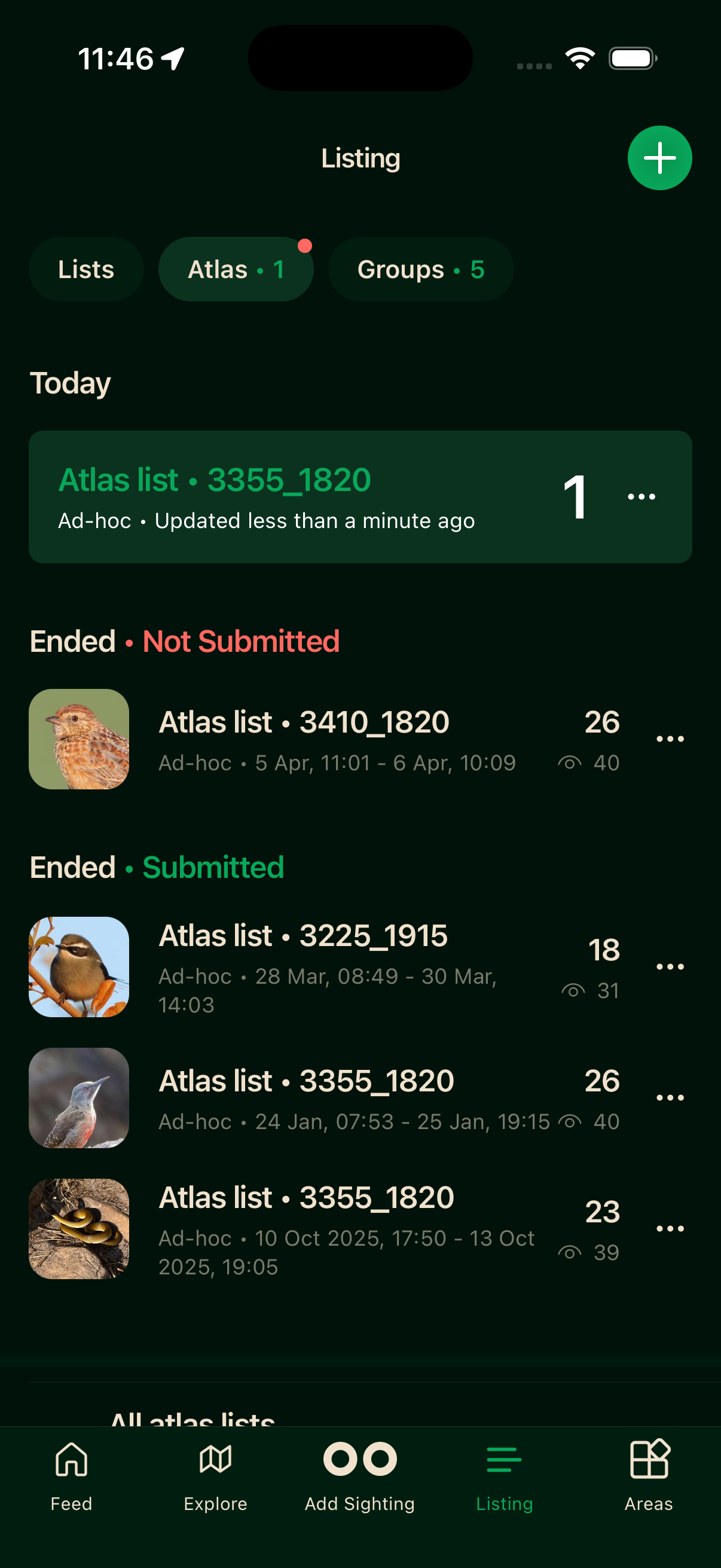
You don't need to manage submission by hand. A card moves through its lifecycle on its own. While you're logging, it is active and sits under Today. When you finish and end it, it shows as Ended. Once it has been sent through to SABAP2 it shows as Submitted; until then it reads Not Submitted.
Offline atlassing
You can start an atlas card, add sightings, and end the session without a connection. Records sync to the server when you reconnect.