Settings
Settings is accessible from your profile screen. It is laid out in sections.
Profile
Your profile photo, first name, and last name. Bïndo asks you to use your real, full name.
Bird Atlas
A single field, Observer ID.
Add your Observer ID to unlock atlassing in Bïndo. Atlas lists are submitted to SABAP2.
If you do not have one, register at birdmap.africa.
Life list
A single toggle, Auto lifers.
Tags new birds as lifers automatically once you have 200 entries in your life list.
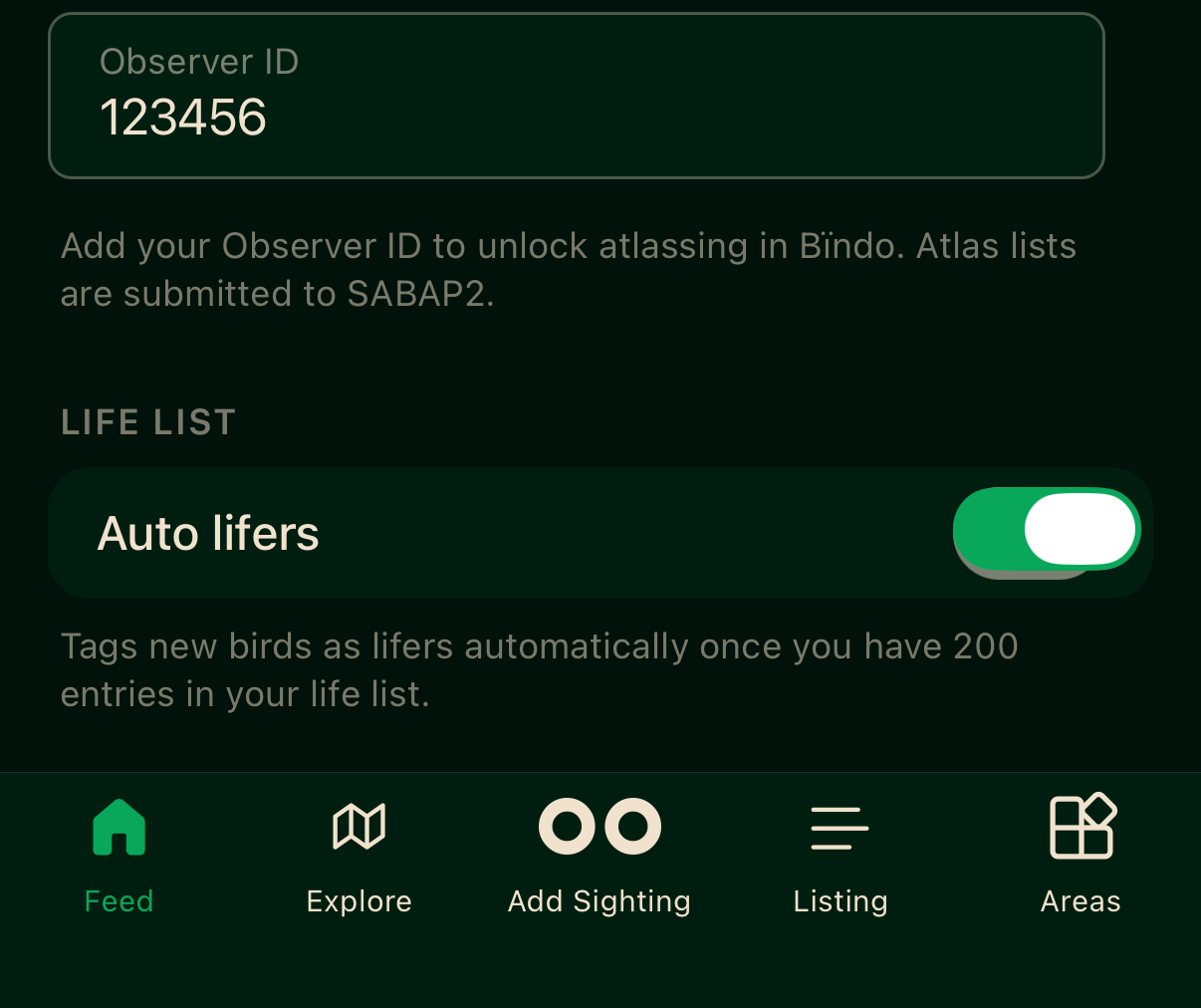
- 1Bird Atlas — your SABAP2 Observer ID, required to unlock atlassing.
- 2Life list — Auto lifers tags new species automatically once you pass 200 entries.
Exports
Two toggles, BirdLasser and eBird.
When a list ends you'll be emailed a file to import into the services you've enabled.
See Exporting your data for the full flow.
Privacy
A single toggle, Private profile.
Hides your profile, sightings and lists from others. You can't participate in challenges or area leaderboards while private.
Switching this on can take a little while to take effect across the community views.
Help
Tap Bïndo Guide to open an in-app guide drawer with quick reference content.
Account
Three actions.
Reset data
Bïndo syncs your sightings and lists in the background. If your numbers look out of step and have not recovered after a few hours in a good signal area, Reset data will force a fresh download of everything from the server. Requires a connection.
Log out
Signs you out on this device. When you sign back in, use the same email and sign-in method as before. If your sightings appear to be missing after sign-in, you most likely signed in with a different email or social sign-in (Apple, Google) than the one you originally used.
Delete account
Permanently deletes your account and removes your personal information and identifiable sighting data from Bïndo's servers. You will be asked to type a confirmation phrase before it proceeds. Requires a connection.
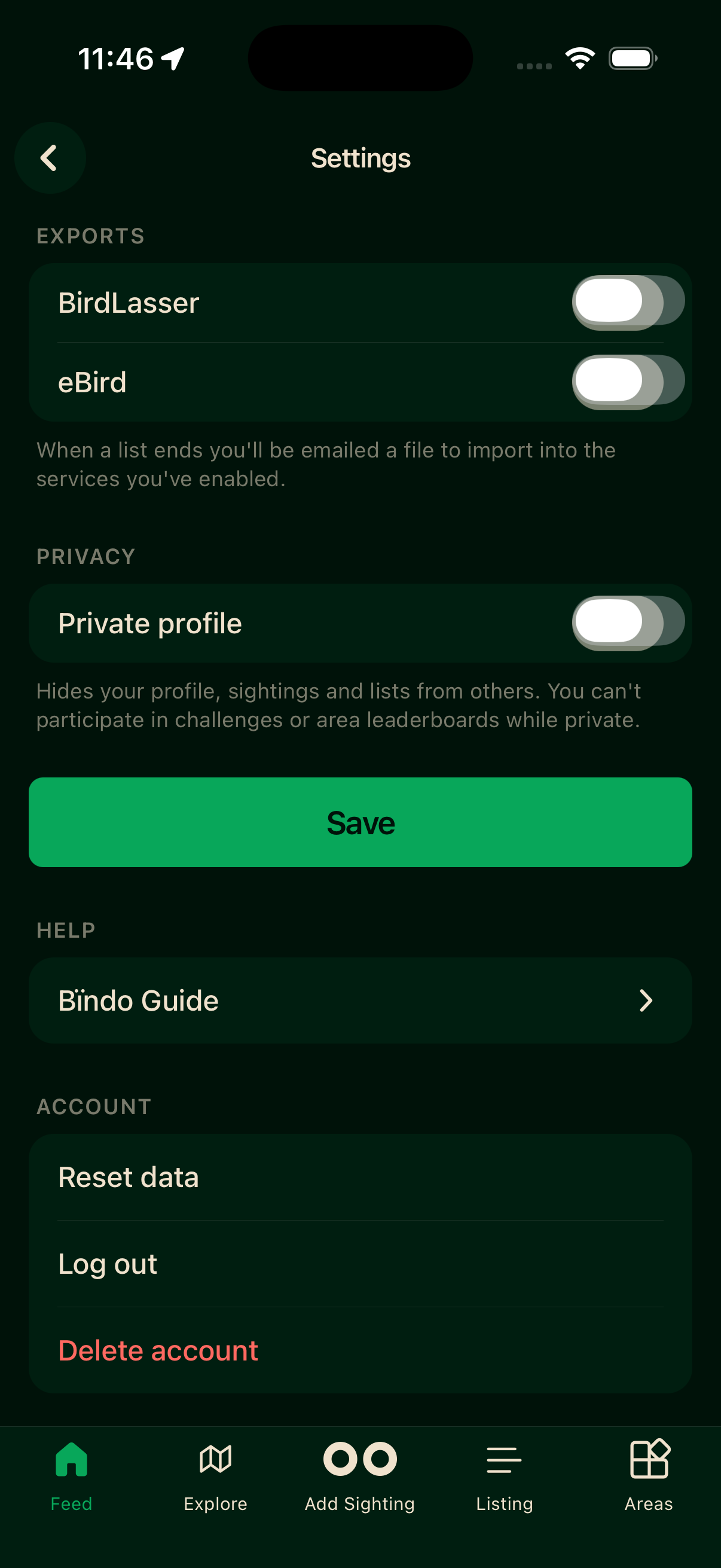
- 1Exports — enable BirdLasser and/or eBird, then Save.
- 2Privacy — Private profile hides your activity from others.
- 3Account — Reset data, Log out, and Delete account.
Remember to tap Save after changing the Exports or Privacy toggles.