Explore & map
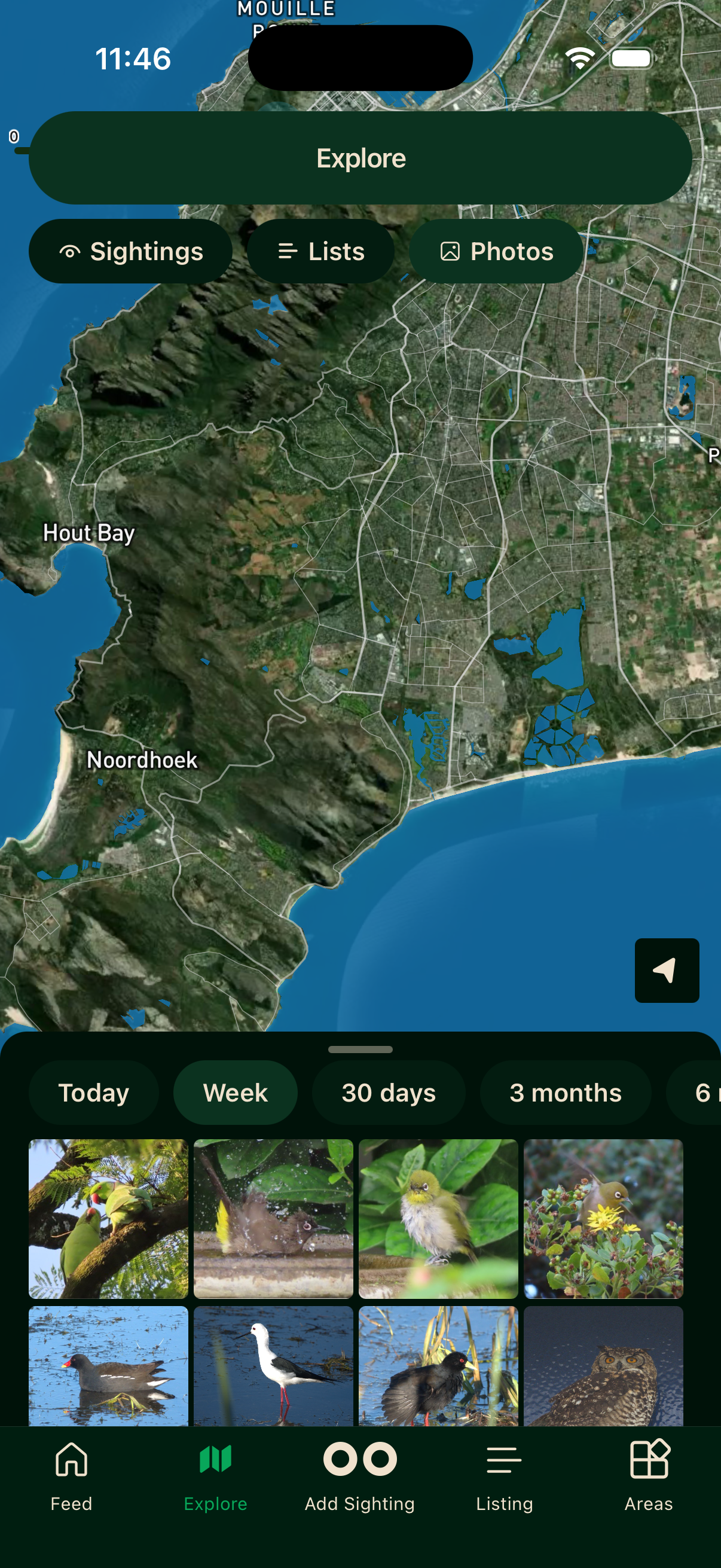
The Explore tab is a map-based view of sightings, lists, and photos from across the Bïndo community. It is a powerful way to see what has been recorded in your area, or in a place you are about to visit.
Pinch with two fingers to zoom in and out, and pan to move around. Tap any pin to open a bottom sheet with the details.
Filters
Tap the filter icon in the top right of the Explore screen.
What to show
Switch the map between Sightings (individual pins), Lists (trip markers), and Photos (a photo-focused view).
Sighting filters
When viewing sightings, you can narrow further by Latest Species (only the most recent timeframe), Interesting (notable records), Unusual (species recorded outside their normal range or in unexpected numbers), or Unverified (sightings Bïndo could not confirm against its database).
Bïndo verifies each sighting against previous Bïndo records and against the Southern African Bird Atlas Project 2 database. If a species is not known to occur in that area, the sighting is flagged as unverified.
Timeframe
Filter results by how recent they are. Choose Today, Week, 30 days, 3 months, 6 months, or All.
Tap Reset to clear filters or Apply to update the map.
Video walkthroughs
Areas
The Areas tab shows reserves, parks, and other named birding locations. Tap an area to open its full detail screen — species lists, your progress, target species (Your Radar), leaderboards, and more. See Areas for the full guide.
Offline
The map requires a network connection to load tiles. Once you have browsed an area the tiles are cached and available without a signal, but fresh sighting data needs a connection.