Feed & social
The Feed shows the birding activities of the birders you follow: lists they create and end, list milestones they hit, and unusual birds they log.
The reel
At the top of the Feed there is a horizontal reel of birders who are active in Bïndo today. It's a quick way to find and follow other active birders, especially ones in your area. Reel entries are ordered by today's sighting count — the highest are on the left. Tap a birder to jump straight to their list from today.
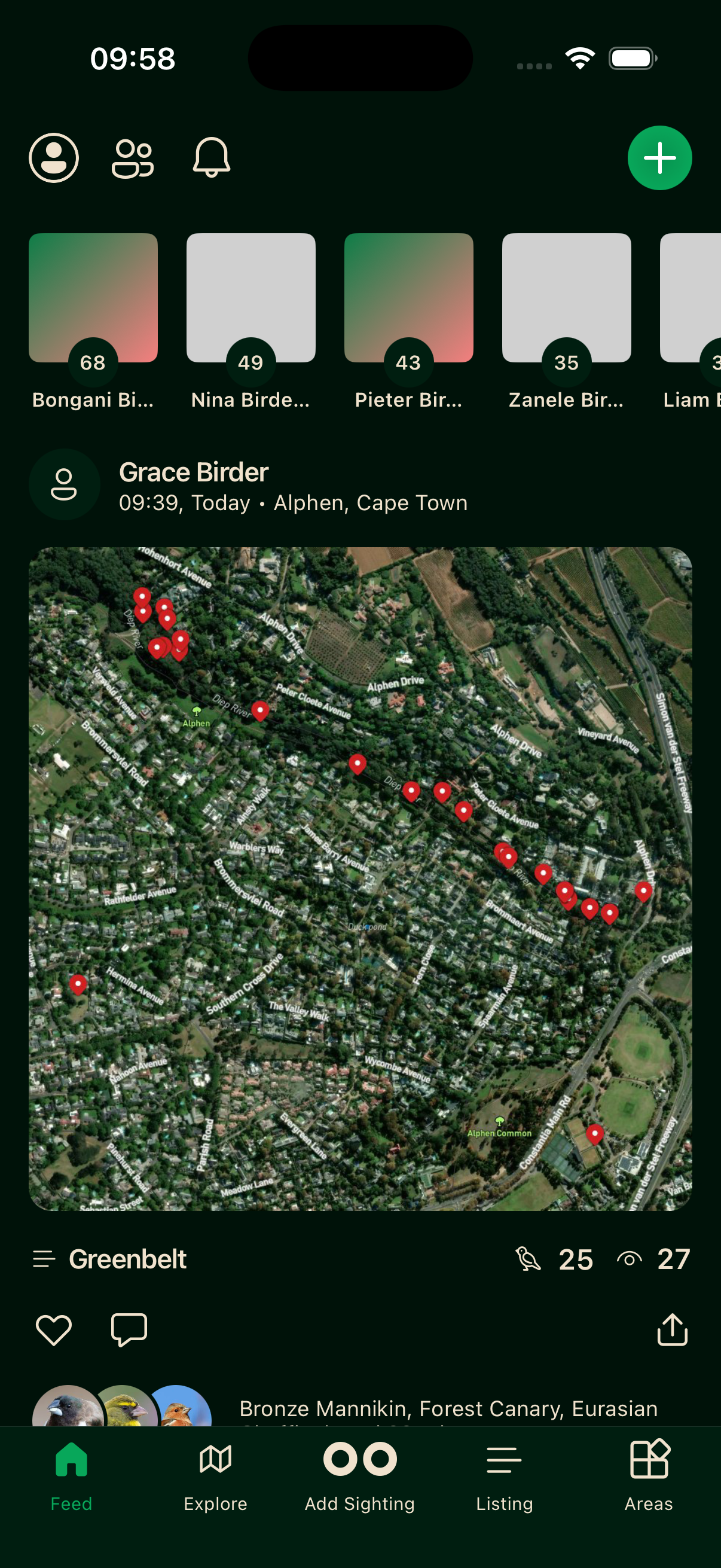
List cards
Birders you follow appear in the feed as list summary cards. A card is generated when a list is ended, when it hits a milestone of every 50 species (50, 100, 150 and so on), or when an unusual bird is logged.
Tap a card to open the list. You can like or comment from the card or from the list itself.
Only public sightings appear. Sightings marked sensitive still appear but show a general location rather than exact coordinates.
Finding more birders
Tap the birders icon at the top of the Feed to open the full list of birders on Bïndo. You can search by name or browse to find people active in your area. See Profiles for more on following.
Refreshing
Pull down on the feed to fetch the latest items. The feed loads in batches and adds more as you scroll to the bottom.