Accurate sightings
Every bird you log goes onto a map that all birders share. The pin, the date, and the time are public — they appear in the Feed, on the Explore map, and on your profile. That shared record is only as useful as it is accurate, so the one thing we ask of everyone is simple: log each bird where and when you actually saw it.
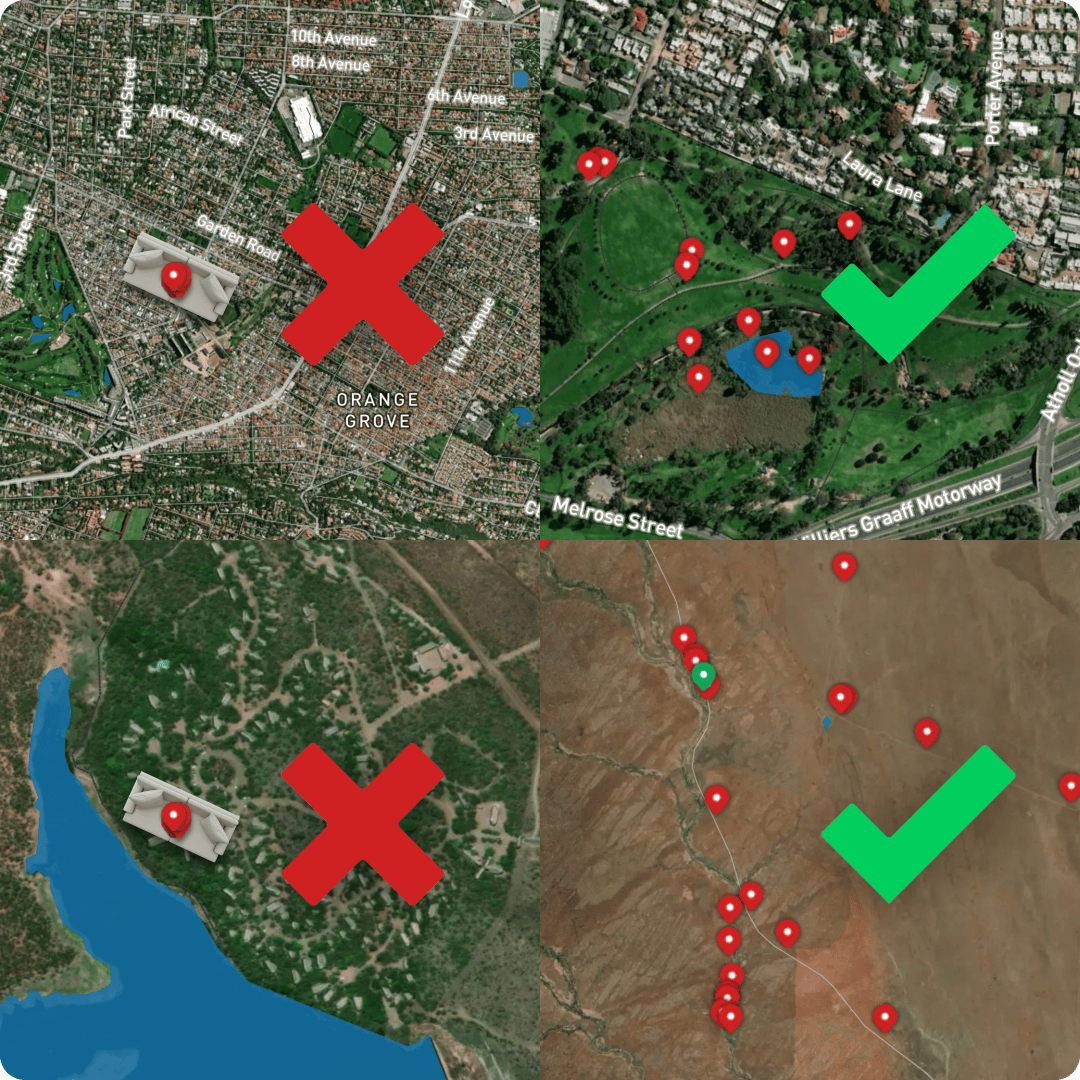
The pin and time are automatic
When you quick-add a bird, Bïndo stamps it with your current GPS location and the current time for you — so logging in the field is accurate by default. Tap a species' ⊕ and you're done.
You only set the place or time by hand when you're recording a bird after the fact. Long-press the ⊕ to open the custom sighting form, then set the real date, time, and place — tap the map to drop the pin where you saw the bird, or paste its coordinates. See Logging sightings for the full form.
Why it matters
Other birders rely on your pins.
A pin is a promise that the bird was there. Birders use Explore to decide where to go and what to look for, so a misplaced pin sends them to the wrong place.
It feeds the bigger picture.
Sightings contribute to range and distribution data, target-species lists, and area records. A bird logged from the sofa quietly distorts all of it.
It keeps your own records honest.
Accurate dates and places make your life list, year list, and trips something you can trust and look back on.
Logging a batch from one place
The one habit to avoid is adding a stack of species from home — or any single spot — that you actually saw elsewhere. Birders sometimes call it sofa logging. Even with the right species, the wrong place and time make the record misleading for everyone who sees it.
Birding somewhere without signal is fine: Bïndo logs offline and syncs later, keeping each pin where you dropped it. And when you genuinely need to enter a past sighting, the custom sighting form is there to set its real date and location — that is exactly what it's for.
If your profile is set to private
If a run of sightings looks like it was added in a batch rather than where and when each bird was seen, the team may temporarily set your profile to private and email you. While it's private, your sightings and lists are hidden from other birders.
To put it right, you can either:
- Delete those sightings and re-add them in the field as you see birds, or
- Edit each sighting's date and location to match where you actually saw it — open the sighting, open its actions menu, and tap Edit (see Logging sightings).
Then reply to the email and the team will restore your profile to public. If you think it was flagged by mistake, say so — they'll take a look.
During challenges
Challenges run to stricter rules, because a leaderboard depends on a level field:
- Log every sighting in the field — no backdating. (Minor edits are fine.)
- Don't log multiple species from one spot you didn't bird.
- The judges' decision is final, and entries may be reviewed after the draw.
For the wider etiquette of birding responsibly, Bïndo follows BirdLife South Africa's Birding Code of Ethics.