Location & GPS
Bïndo uses your device's GPS for one thing: stamping a coordinate on each sighting. It doesn't record trails or routes — just a single pin per bird.
How it works
When you log a sighting, Bïndo tries to get an accurate GPS fix:
- It reuses a cached location if there's one less than 2 seconds old and it's accurate enough — that's instant.
- Otherwise it asks for a fresh fix, waiting up to 5 seconds.
- To be accepted automatically, the fix must be 50 metres or better.
- If it's still worse than 50 m after two attempts, the custom sighting screen opens so you can place the pin yourself.
Whichever fix is accepted, its accuracy is saved with the sighting.
Placing a pin manually
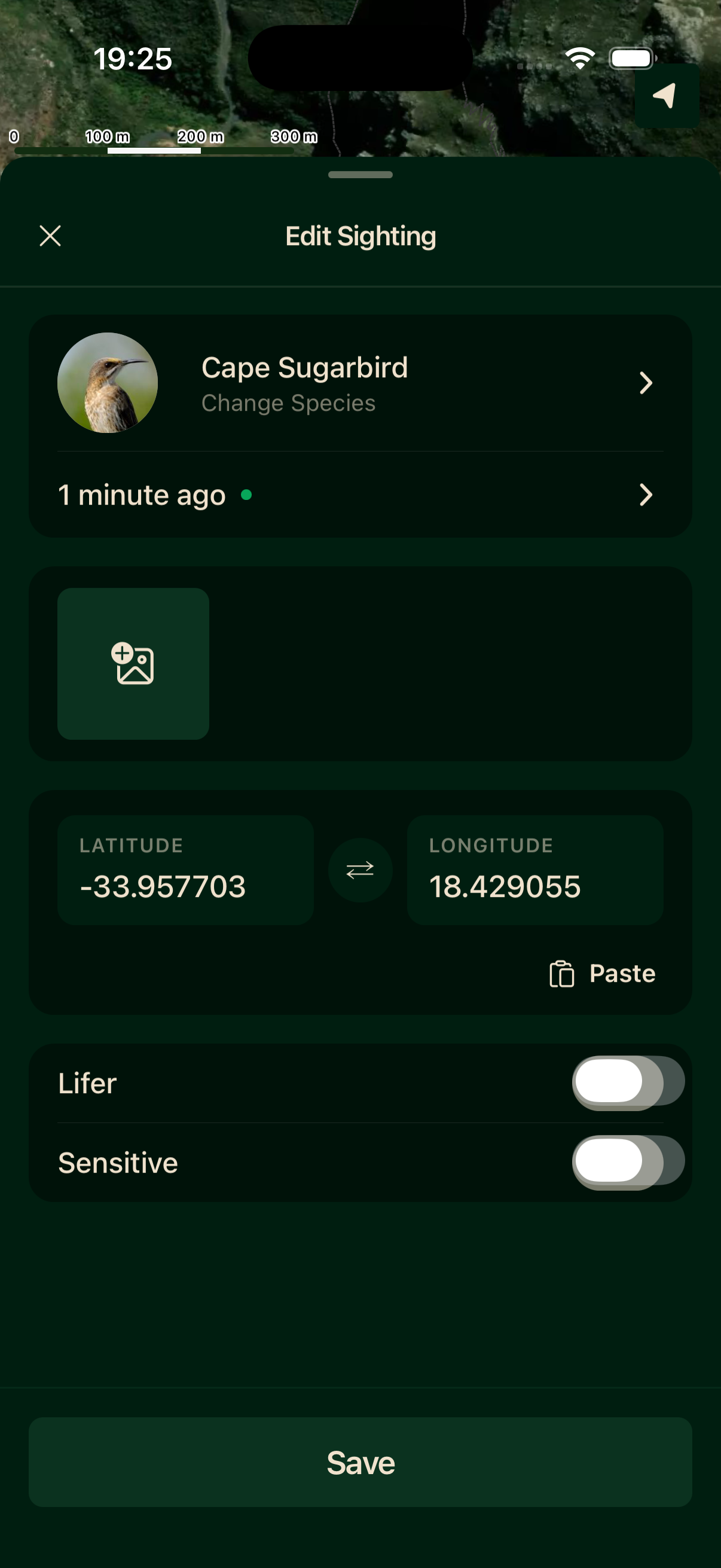
If GPS isn't available or isn't accurate enough, the custom sighting screen opens on its own. From there you can tap the map to drop the pin exactly, tap Use current location to try GPS again, or paste coordinates in decimal degrees (e.g. -33.9249, 18.4241).
When battery is low
Below 20% battery, Bïndo switches to a low-power location mode: it checks less often and accepts coarser fixes, so the app keeps working without draining the last of your charge. Logging sightings works exactly the same.
Location permission
If you deny location permission, quick-add always opens the custom sighting screen so you can place the pin yourself. You can grant permission later in your device Settings.
Foreground only
Bïndo only reads your location while the app is open on screen. It never collects location in the background.