Areas
Areas are named birding locations: reserves, parks, wetlands and other sites of interest. Each one shows what's been recorded there and how you compare to other local birders.
Where lists collect by time, areas collect by place. Every sighting is filed into an area automatically by where you logged it, giving you location-based views like a Gauteng or KZN list.
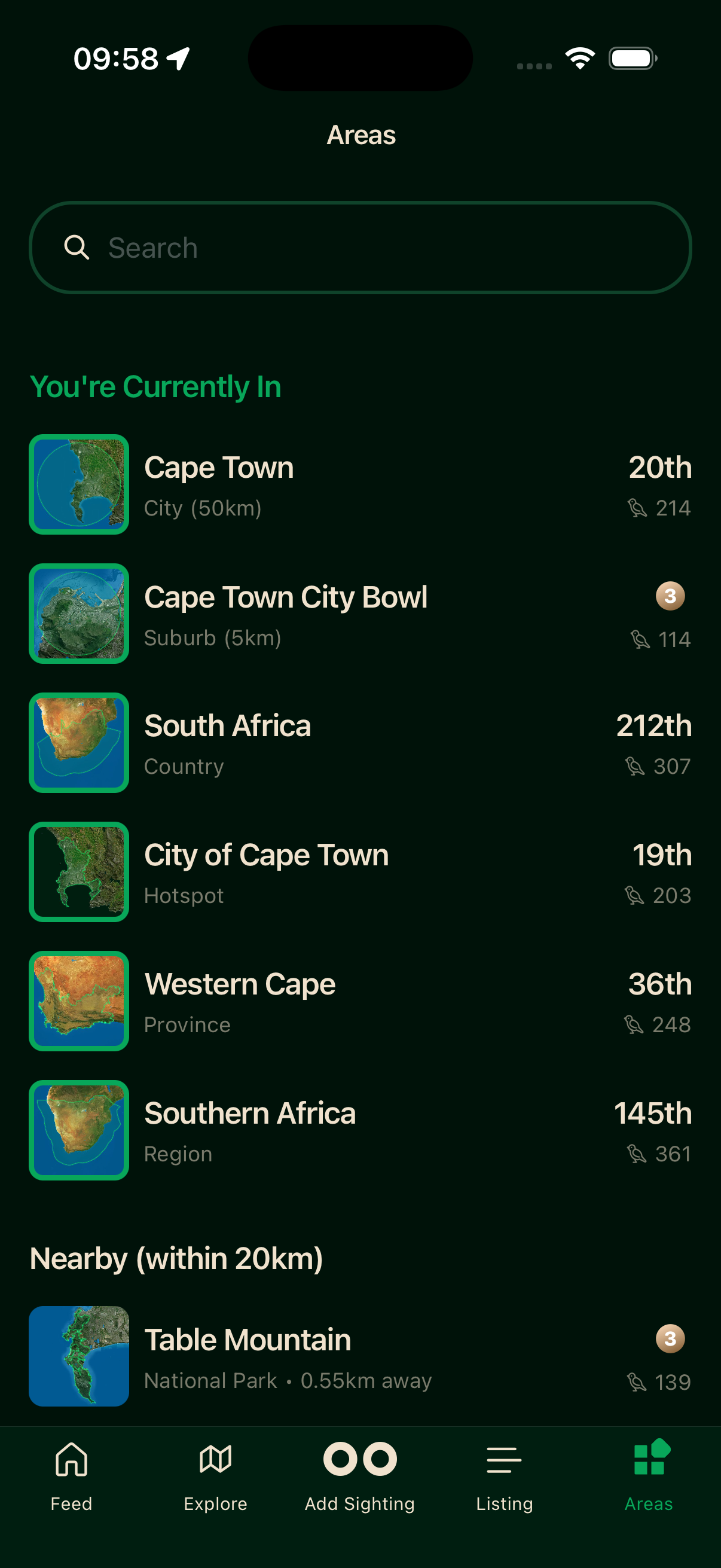
Browsing areas
The Areas tab groups locations by how close you are. You're Currently In is any area whose boundary you're inside right now. Nearby (within 20 km) covers everything close by. Others is the full list, for planning ahead or exploring somewhere you aren't. Search Results appear when you use the search field.
Area detail
Tap any area to open its detail screen, which gathers everything recorded there.
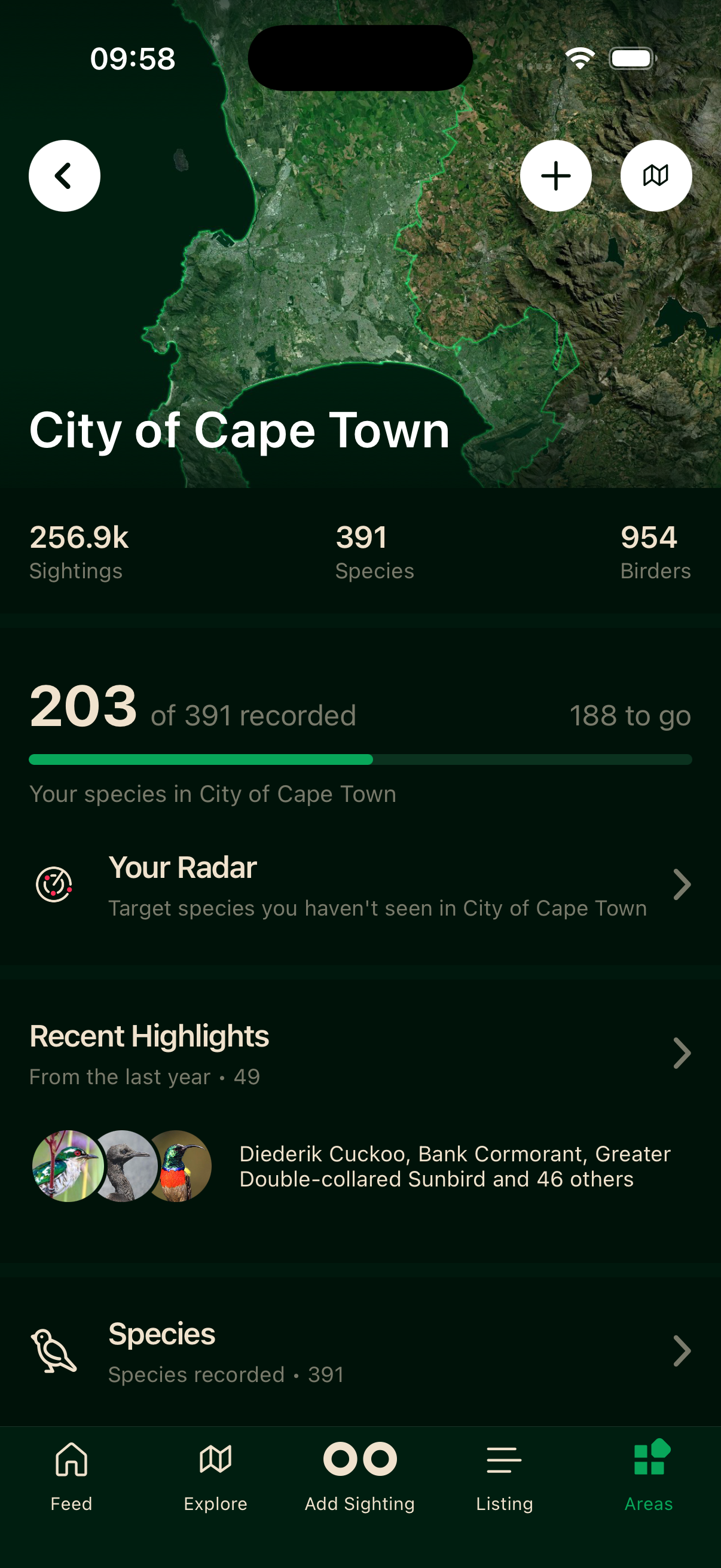
- 1Stats — total sightings, species and birders recorded in the area.
- 2Your Progress — how many of the area's species you've logged here.
- 3Your Radar — target species you haven't recorded in this area yet.
- 4Recent Highlights — notable recent sightings from the community.
Scroll on for Area Specials (species particularly associated with the location), the full Species List, Habitat Heroes, and Leaderboards.
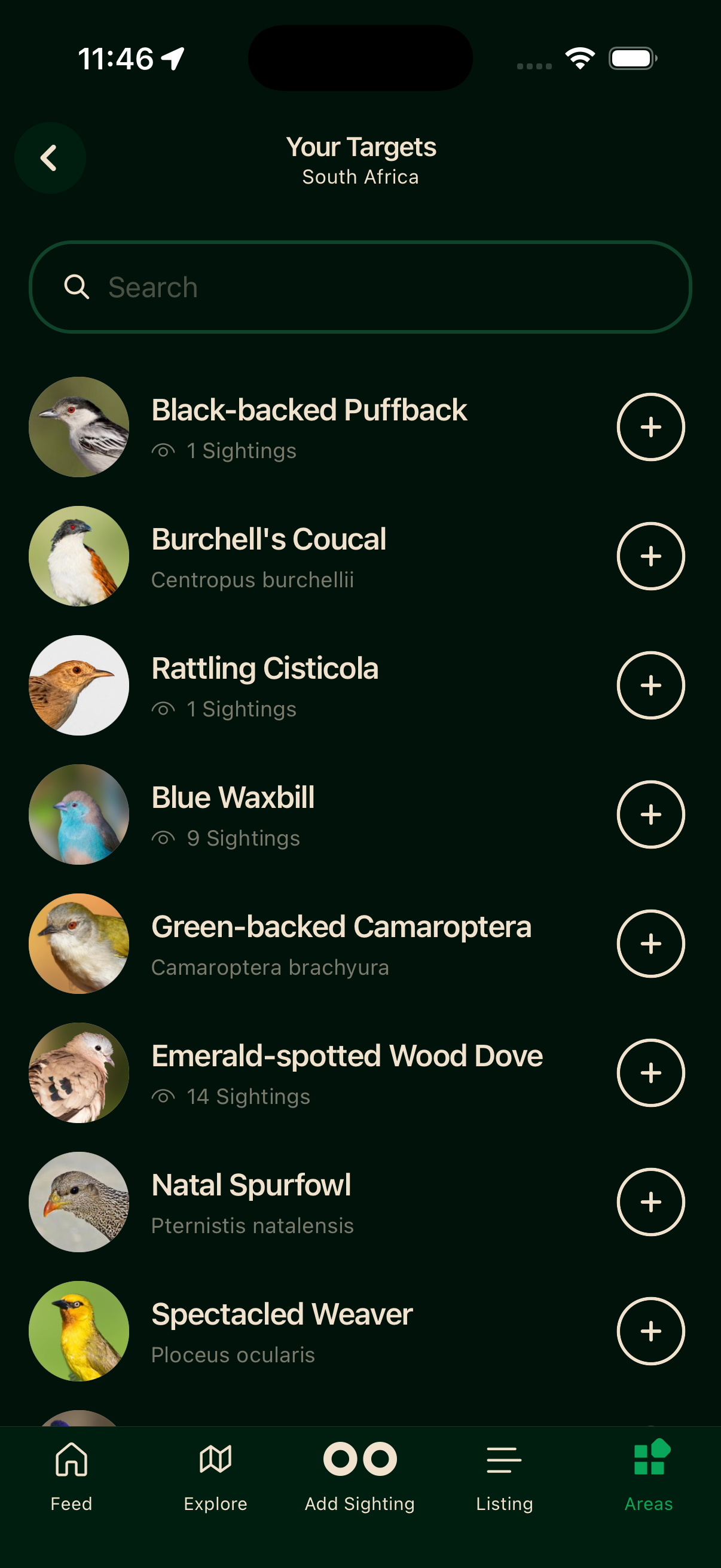
Your Radar
Tap Your Radar to open your full target list for the area: species recorded there that you haven't logged yet, each with a + to add.
Habitat Heroes
The area's standout contributors: the Legend (most days out), the KOM (most species recorded), and the Best Day (biggest single-day species count).
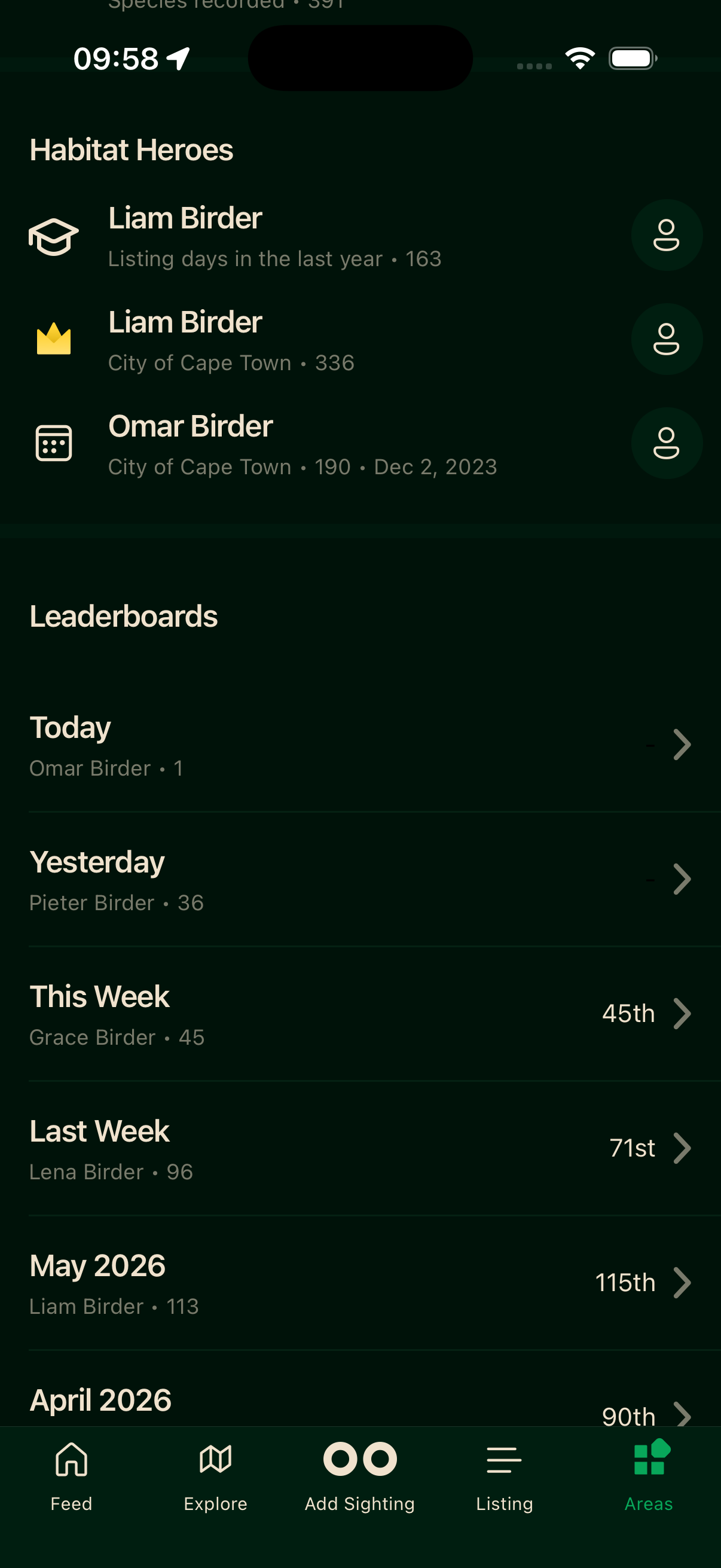
Leaderboards
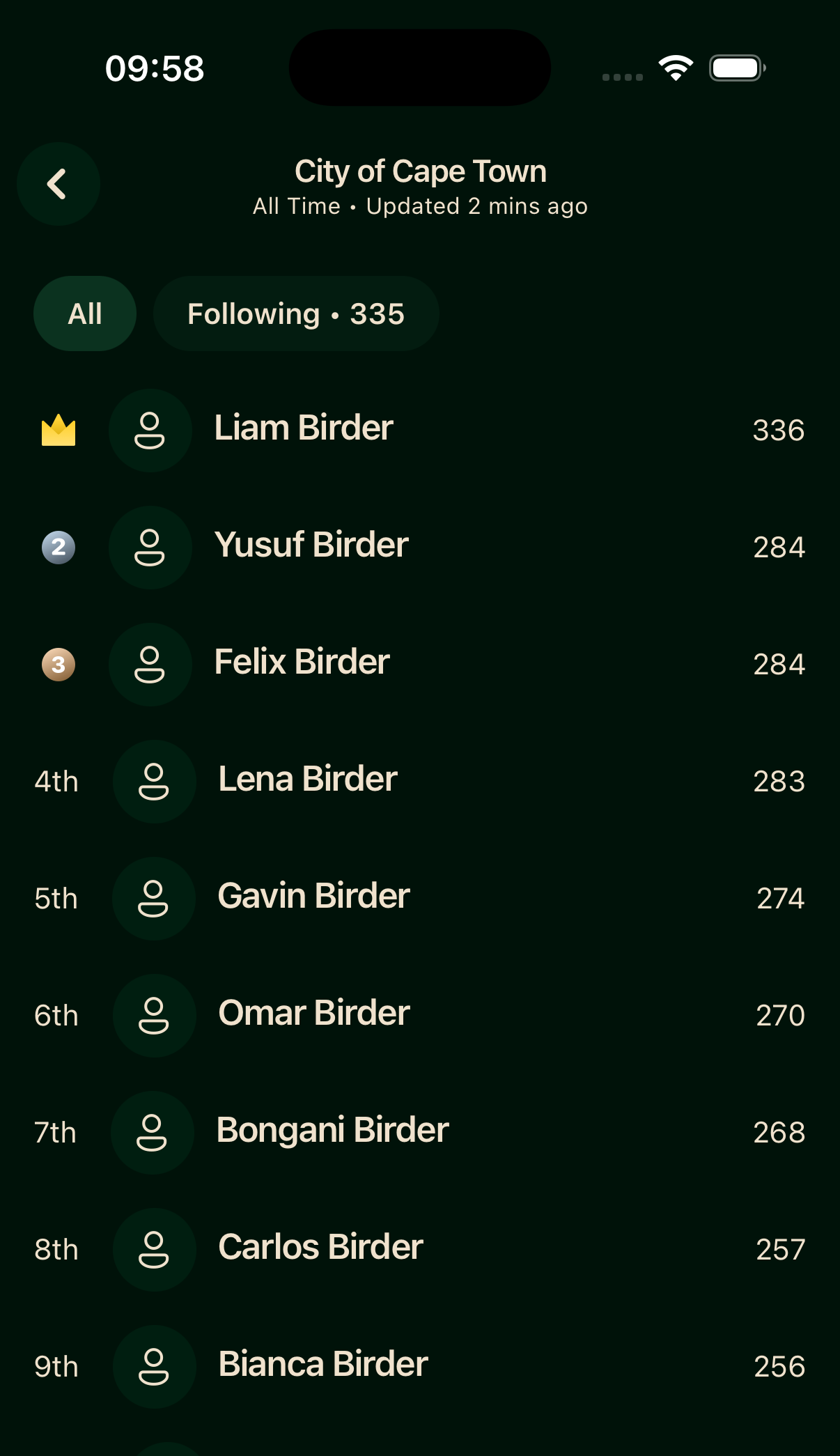
Each area's leaderboard ranks birders by the number of species they've recorded there. The All / Following filter switches between the full ranking and just the birders you follow. Your own row is pinned to the bottom, so you can always see where you stand.
Requesting a new area
Don't see a reserve, park, or estate you bird regularly? Email support@bindo.app to request it. A KML or KMZ boundary file speeds things up. Ask the team and they'll share a short guide on making one.
Once it's added, your existing sightings inside the boundary are pulled in automatically, past records included, and counted on its leaderboards.
Tools to create your own personal areas, for a garden or patch list, are on the way in the app.
Offline
Area boundaries are cached after your first visit and stay available offline. Sighting totals, leaderboards, and Your Radar need a connection to refresh.