Explore & map
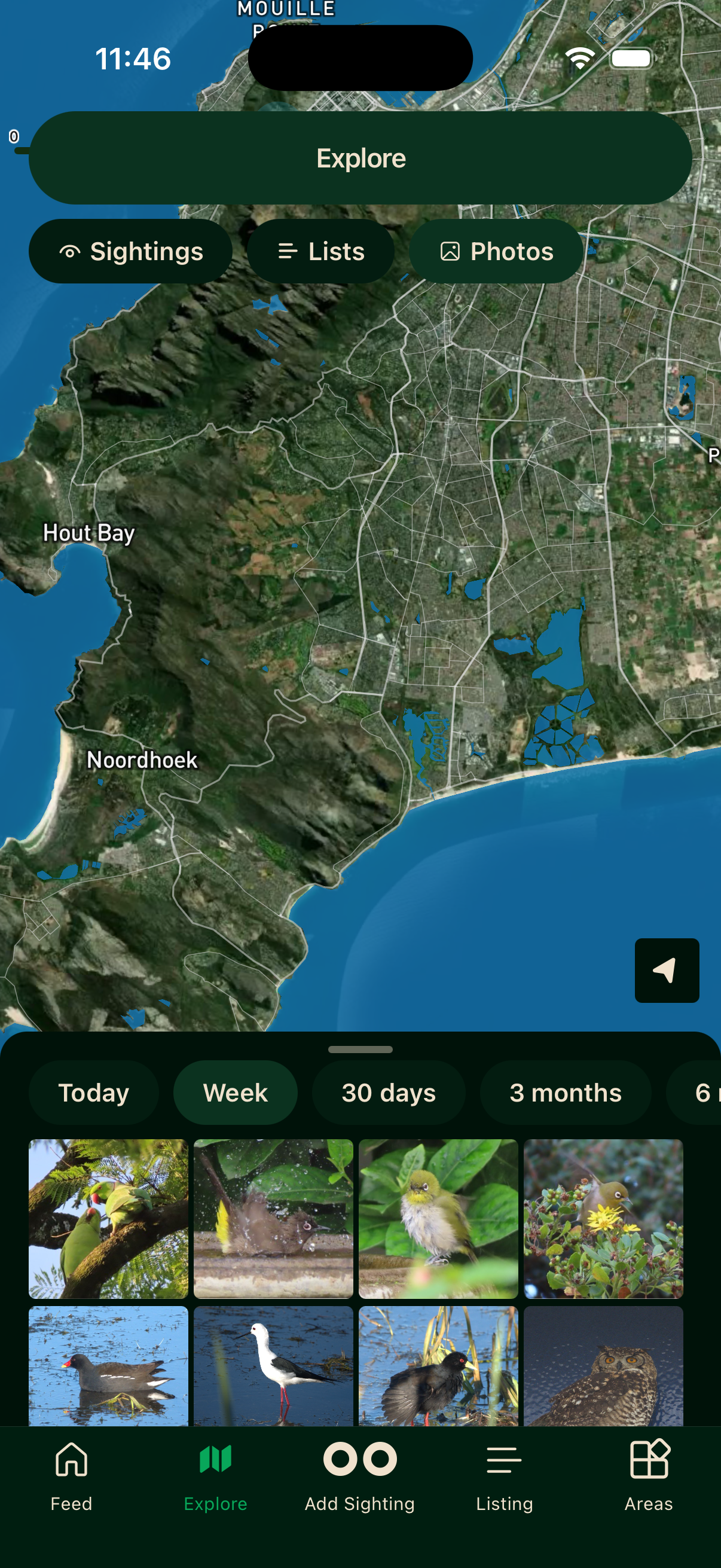
The Explore tab maps sightings, lists and photos from across the Bïndo community. It is the quickest way to see what's been recorded near you, or somewhere you're about to visit.
Pinch to zoom, drag to pan, and tap any pin to open its details.
Filters
Tap the filter icon in the top right of the Explore screen.
What to show
Switch the map between Sightings (individual pins), Lists (trip markers), and Photos (a photo-focused view).
Sighting filters
Narrow sightings further by Latest Species (the most recent timeframe only), Interesting (notable records), Unusual (species outside their normal range or in unexpected numbers), or Unverified (sightings Bïndo couldn't confirm against its database).
Bïndo checks each sighting against previous Bïndo records and the Southern African Bird Atlas Project 2 database. If a species isn't known to occur in that area, the sighting is flagged unverified.
Timeframe
Show only recent results: Today, Week, 30 days, 3 months, 6 months, or All.
Tap Reset to clear filters or Apply to update the map.
Video walkthroughs
Areas
The Areas tab shows reserves, parks, and other named birding locations. Tap one to see its species list, your progress, target species, and leaderboards. See Areas.
Offline
Map tiles need a connection to load the first time. Once you've browsed an area those tiles are cached and work offline, but fresh sighting data still needs signal.