Atlassing
Atlassing is systematic bird surveying tied to a geographic grid. Bïndo supports SABAP2 (the Southern African Bird Atlas Project 2), which maps bird distribution across Southern Africa.
Video walkthrough
Before you start
You need a SABAP2 Observer ID, added in Settings → Bird atlas. Without it, atlassing is locked. If you don't have one yet, register at sabap2.birdmap.africa.
What is a pentad?
The grid unit for SABAP2 is the pentad, a 5×5 minute block of latitude and longitude. Each atlas card you submit belongs to one pentad.
Atlas list vs personal list
A personal list is your own informal trip record; an atlas list is a formal pentad submission. Both start from New List — choose Atlassing for an atlas card.
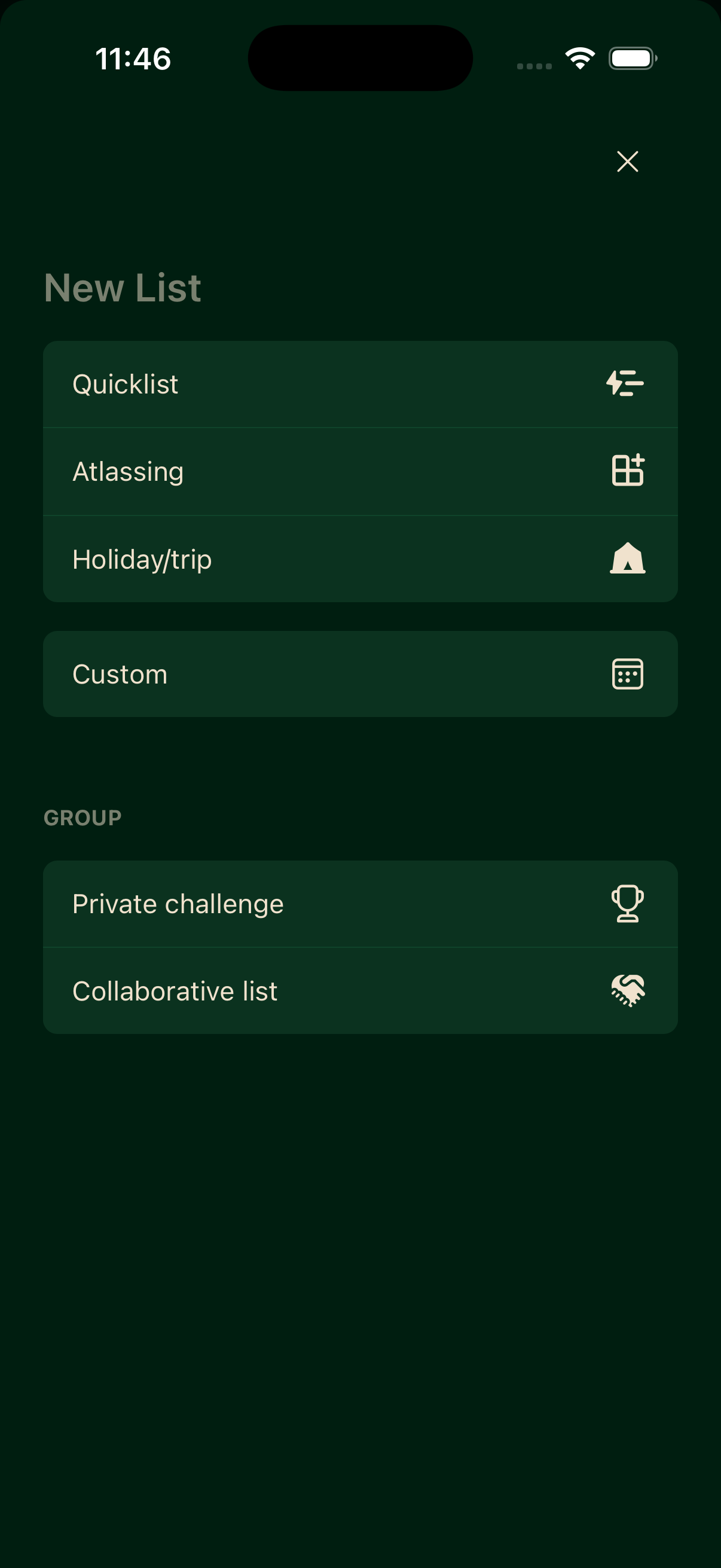
Single or multiple pentads
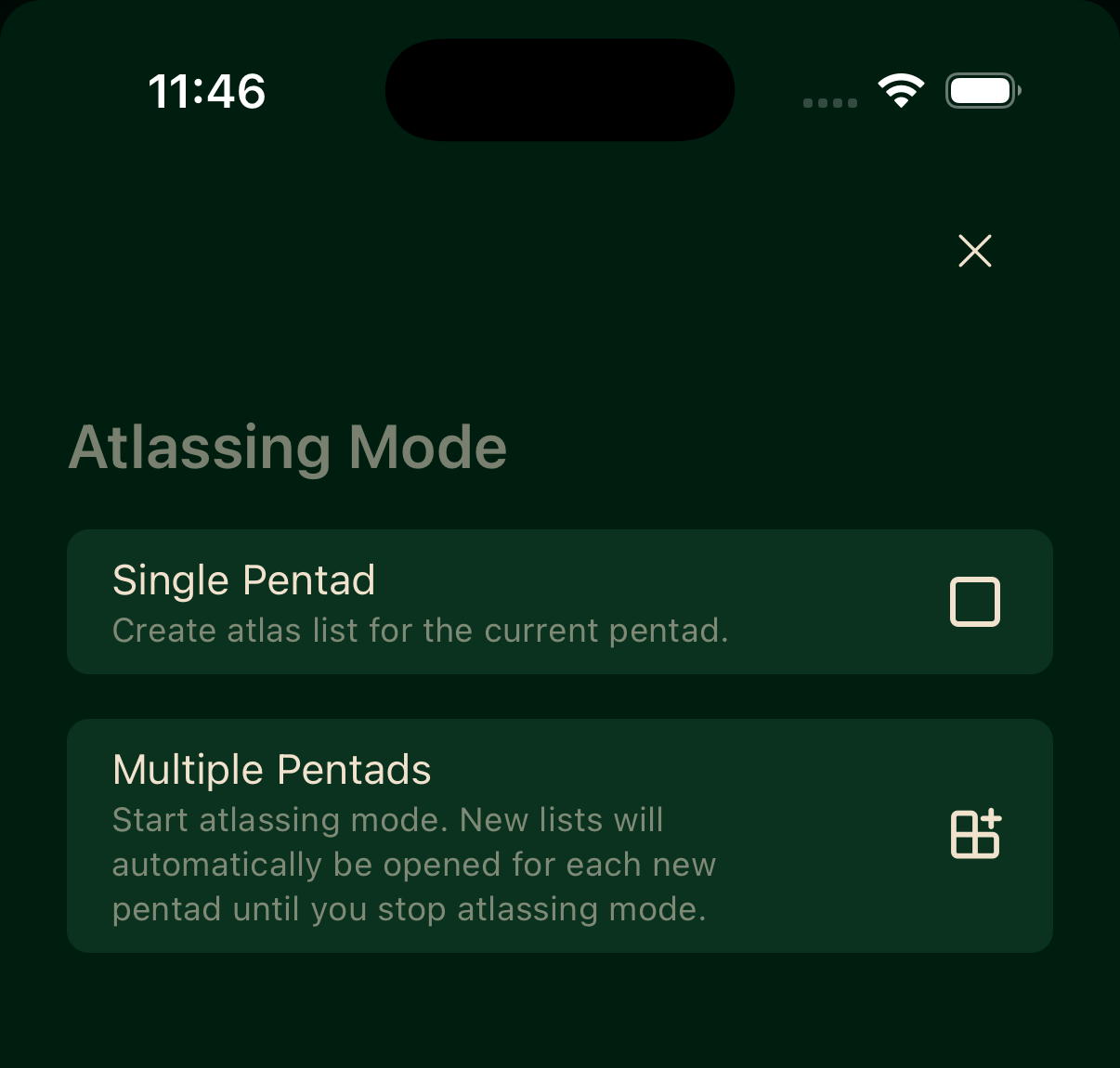
After choosing Atlassing, pick how the card tracks pentads.
Single Pentad
Creates an atlas list for the pentad you're currently in.
Multiple Pentads
Starts atlassing mode: Bïndo opens a new card each time you cross into a new pentad, until you stop.
Full protocol
SABAP2's full protocol asks for at least 2 hours of active birding in the pentad, covering as many habitats as you can. Bïndo reminds you while you're atlassing:
You must bird for at least 2 hours to use the full protocol.
It's only a reminder — the app won't stop you submitting a shorter card.
Starting an atlas card
- Tap New List.
- Select Atlassing.
- Choose Single Pentad or Multiple Pentads.
- Add sightings as you bird. Every species you record is attached to the card.
- When you're done, end the card.
If you already have an active card for that pentad, Bïndo warns you before creating a duplicate.
Card statuses
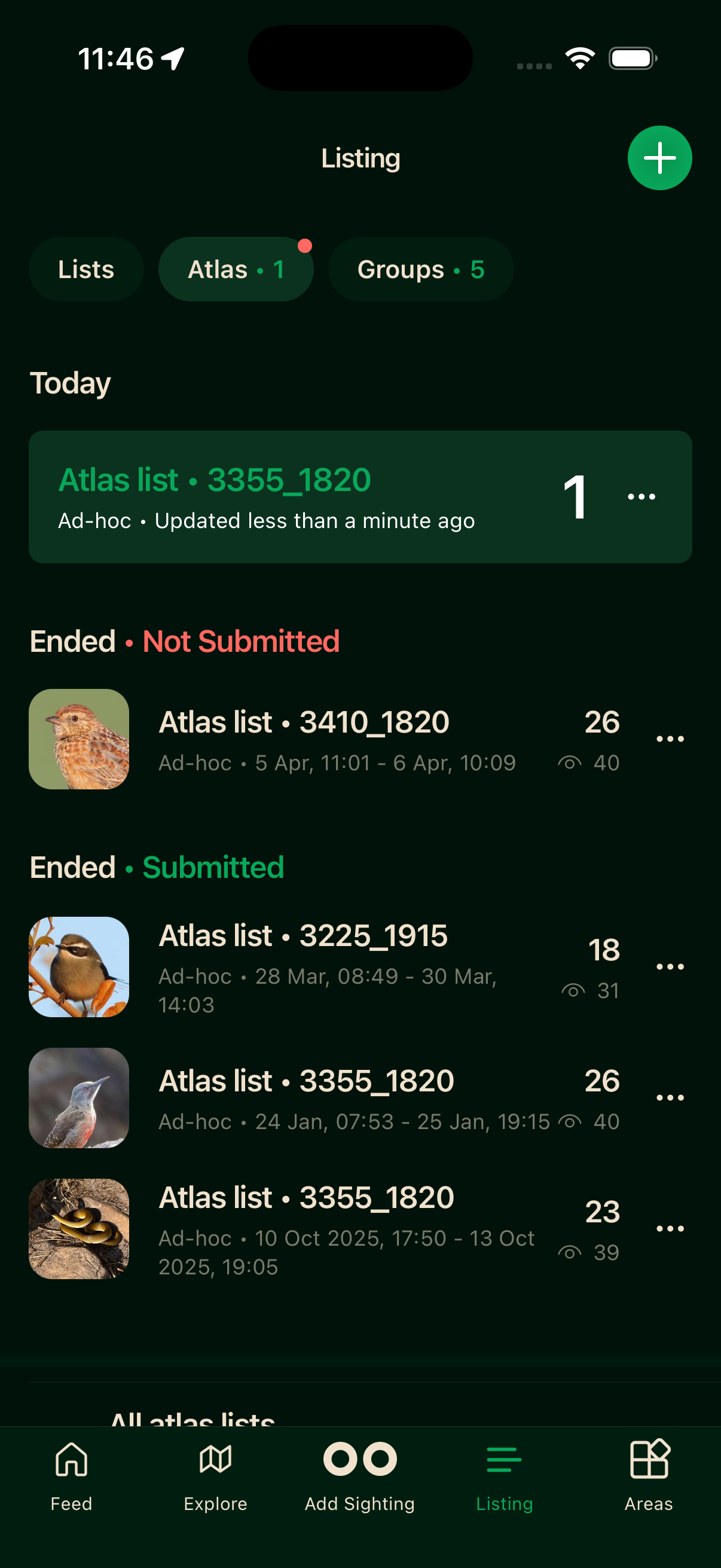
You don't need to manage submission by hand — a card moves through its lifecycle on its own. While you're logging it's active and sits under Today. Once you end it, it shows as Ended. It reads Not Submitted until it's been sent through to SABAP2, then Submitted.
Offline atlassing
Start a card, add sightings, and end the session all without a connection. Records sync when you reconnect.