Profiles
Every Bïndo account has a profile. Yours shows your birding activity; other birders' profiles show what they've been recording, and let you follow them.
Your profile
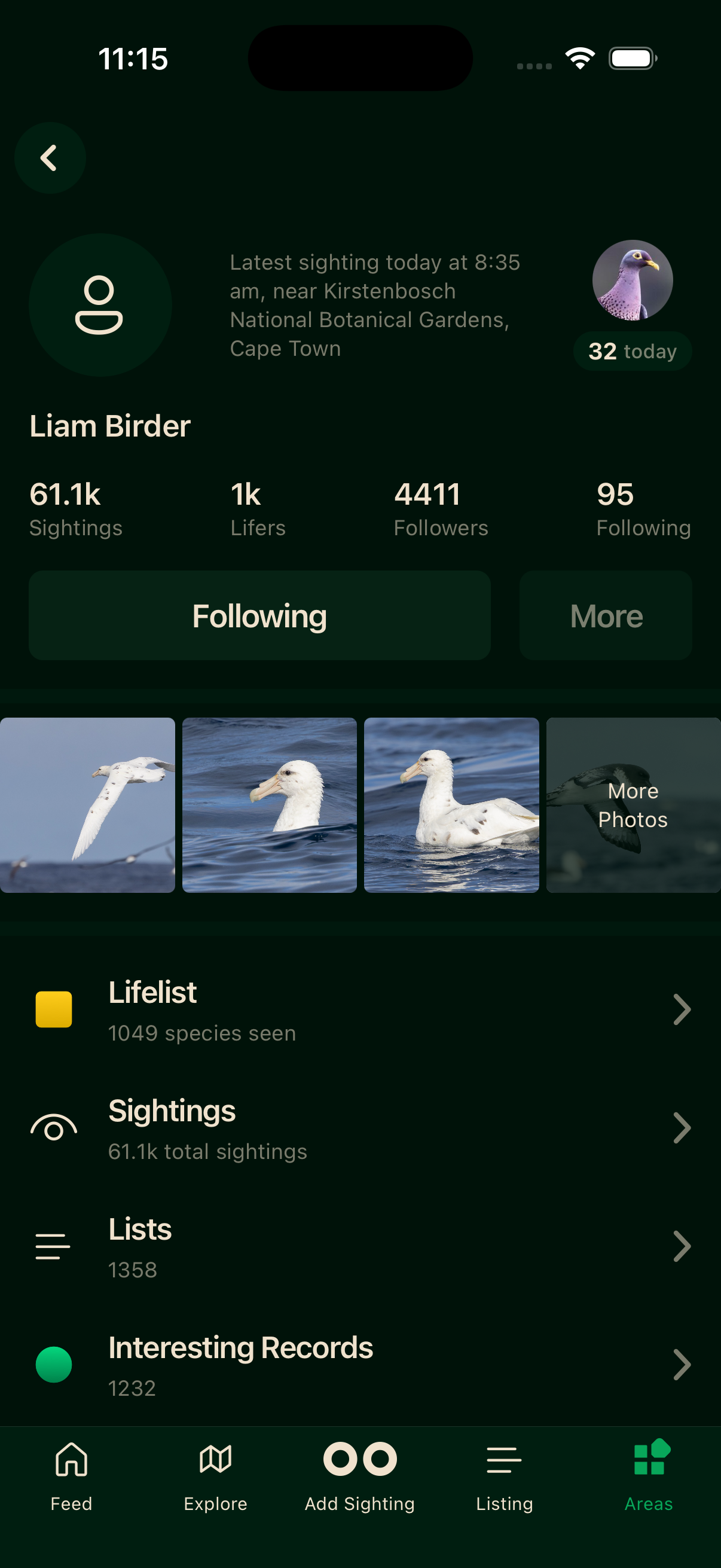
Your profile leads with four stats at the top.
Sightings
Every bird you've ever logged — one record of one species at one place and time.
Lifers
Distinct species on your life list. Each one counts once, however many times you see it again.
Followers
Birders who follow your activity.
Following
Birders you follow.
Tap Sightings or Lifers to open the full list. Below the stats you'll find your latest sighting, with a link to your full history.
Active indicators
A badge can appear on a profile: Active now means they've logged something in the last hour, Today means they've logged a sighting today.
Viewing other profiles
Tap any birder's name or avatar in the Feed, in a leaderboard, or in search results to open their profile.
Following and followers
Tap Follow on a profile to start following. Their activity will appear in your Feed. Tap again to unfollow.
Blocking
Open a birder's More menu and tap Block. They'll no longer appear in your feed or search results, and they can't interact with your sightings.
Private profiles
When someone's profile is private, you can't see their sightings or lists, and their follower and following counts show as a dash. They're still discoverable — just their activity is hidden.
The team can also set a profile to private if its sightings look like they were logged in a batch rather than where and when each bird was seen. See Accurate sightings for what that means and how to put it right.
Finding birders
Tap the people icon in the Feed header to find birders by name.