Feed & social
The Feed shows what the birders you follow are up to: lists they start and end, milestones they hit, and unusual birds they log.
The reel
A horizontal reel of birders active today sits at the top of the Feed — a quick way to find others birding near you. They're ordered by today's sighting count, highest on the left. Tap one to jump straight to their list for today.
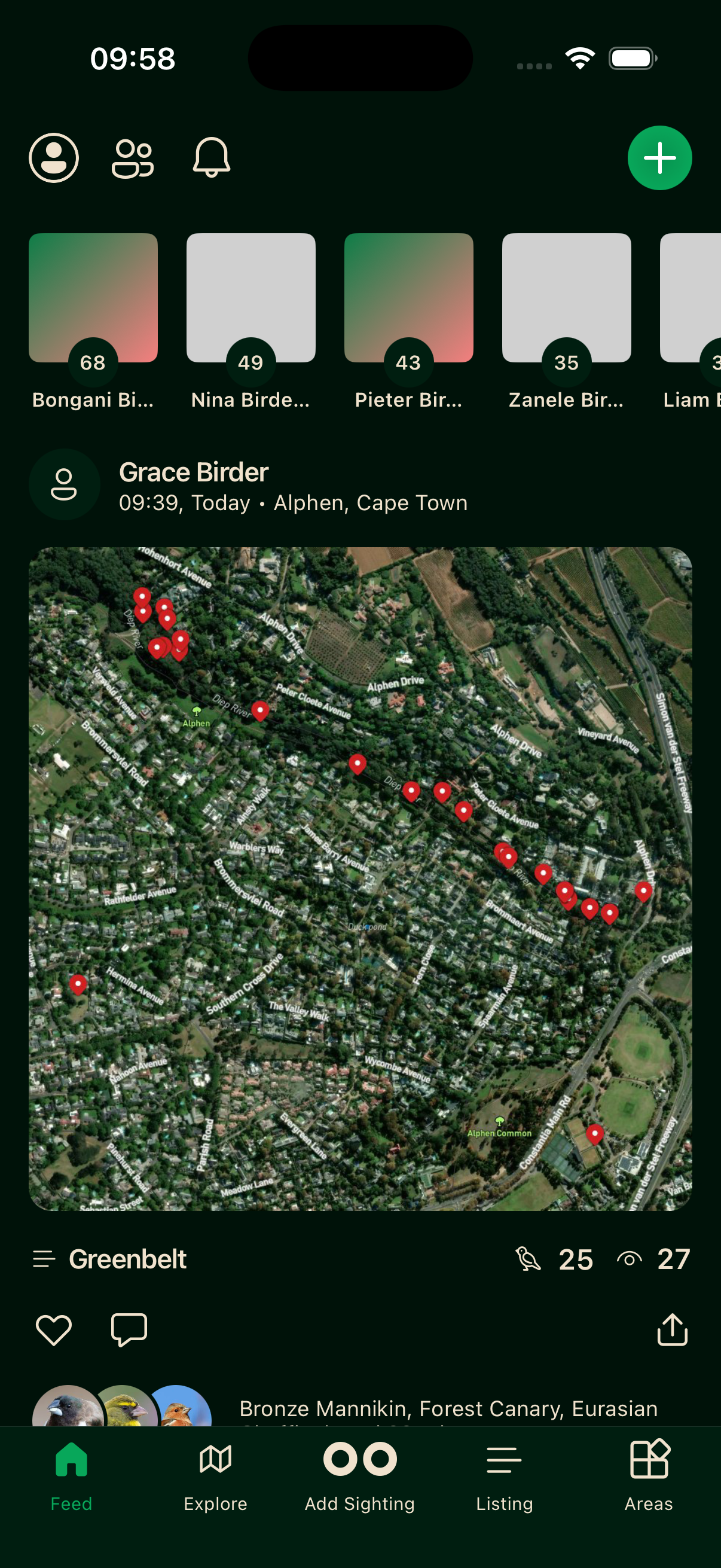
List cards
Activity from birders you follow arrives as list summary cards. A card appears when someone ends a list, when a list hits a milestone of every 50 species (50, 100, 150 and so on), or when an unusual bird is logged.
Tap a card to open the list. Like or comment from either the card or the list.
Only public sightings appear. Sensitive ones still show up, but with a general location instead of exact coordinates.
Finding more birders
Tap the birders icon at the top of the Feed to see everyone on Bïndo. Search by name, or browse for people active near you. See Profiles for more on following.
Refreshing
Pull down to fetch the latest. The feed loads in batches, adding more as you scroll.